


Roblox Dress to Impress: Ultimate Beginner's Customization Guide
20.07.2025 - 18:39:43
Game Guides , Roblox


Have you ever dreamed of dominating the runway with your impeccable taste for fashion? Do you like to wow other people with your incredible creations? If so, you definitely need to try out Roblox: Dress to Impress (aka DTI).
If you do not know anything about the game and would like a crash course about it, then you are in the right article! This is our beginner's guide to customization for Roblox: Dress to Impress!
This game features some clothing and accessories that can only be acquired by paying the premium currency. The good news is that we are offering Robux at a much cheaper price. Just buy Robux from our Roblox Store at any time!
Unlock Your Style: The DTI Customization Handbook
Roblox: Dress to Impress is one of the more amazing dress-up games in recent history because aside from the fact that there are plenty of customization options to choose from, you get a feel for the competitive side of things by giving you only 325 seconds to complete your look (which is roughly 5 minutes and 42 seconds).
Having said that, there is a central theme that you have to follow. For example, if the theme is "Formal," you have to think about dressing up your character with clothing that is appropriate for a special occasion, such as a dress, tuxedo (for male avatars), and so on.
Here is a complete rundown of the possible themes that you may encounter while playing Roblox: Dress to Impress:
Aesthetics and Styles
- Acubi
- Academia
- Basic
- Boss
- Casual
- Coquette
- Cottagecore
- Country Glam
- Cyberpunk
- Dark Academia
- Decora
- Denim Diva
- Dripping in Gold
- Dystopia
- Elegant
- Eldritch Horror
- Electric Look
- Emo
- Euphoria
- Fashion Week
- Femme Fatale / Dangerous Woman
- Formal
- Futuristic
- Girly
- Glamour
- Grunge
- Hardcore Punk
- Harajuku
- Heavy Metal
- Hipster
- Iconic Trends
- Kawaii
- Light Colors
- Lolita Fashion
- Mall Goth
- Maximalist/Minimalist
- McBling
- Modern Royalty
- Monochrome
- Mori Kei
- Neon
- Office Siren
- Old Money
- Overdressed
- Pastel
- Preppy vs Emo
- Retro Glamour
- Rock and Roll
- Royalty
- Steampunk
- Streetwear
- Trendy
- Weirdcore
Decades and Eras
- 1920s / Roaring Twenties
- 1950s
- 1980s
- 1990s
- 2000s / Y2K
- 2014 Vibes
- 2020
- Ancient Civilization
- Regency Era
- Old Hollywood Glam
- Victorian Vampire
Characters and Concepts
- Album Cover
- Animals
- Animatronics
- Anime
- Android vs Cyborg
- Angel
- Angels vs Devils
- Anime Character
- Barbie
- Book Characters
- Celebrity
- Celebrity Look Alike
- Celebrity Crush
- Chefs & Bakers
- Childhood Dream
- Clown
- Costume Party
- Cupid
- Detective
- Disney Princess
- DJ
- Doll
- Drag Queen
- Dream Job
- Emojis
- Fairytale
- Famous Paintings
- Famous Singer
- Fantasy
- Fast Food Mascot
- Final Girl
- First Lady
- Flight Attendant
- Flower
- Folklore
- Ghosts vs Ghouls
- Goblins and Ogres
- Historical Figure
- Incognito
- It's Not a Phase Mom
- Jellyfish
- Magical Girl
- Magical Boy
- Marionettes
- Puppeteers
- Mascot
- Mean Girl
- Meme
- Millionaire
- Miss Universe
- Monster High School
- Moon Guardian
- Mr. Monopoly
- Musical
- Mystic
- Mythology
- News Anchor
- Pirate
- Plant Monster
- Roblox Game
- Scary Creature
- Social Media Mom
- Spoiled Rotten
- Troll Outfit
- Uncanny Valley
- Warriors
- Witch
- Wonderland
- Zodiac Sign
Events and Scenarios
- A Day in Paris
- Amusement Park
- Award Show
- Back to School
- Beach
- At the Beach
- Bestie Hangout
- Birthday
- Book Club
- Break Up
- Casino Night
- College Major
- Country vs City
- Crazy Day
- Dinner Party
- Disco
- Dungeons and Dragons
- First Day in School
- Fitness
- Going to Sleep
- Going to Work
- Graduation
- Halloween
- High School
- I Just Came From Spa Day
- Lost at Sea
- Masquerade
- Met Gala
- Museum Visit
- Olympics
- Party
- Picnic
- Pool Party
- Prom Night
- Red Carpet
- Retail Worker
- Revenge
- School
- School Trip
- Slumber Party
- Sleepover
- Snow Day
- Summer Camp
How to Play Roblox: Dress to Impress
When you start playing in the Regular Server, the game shows you what the theme is, and you have 325 seconds to complete the look. During this time, you will be given the freedom to go inside the hub (aka Dressing Room) and look at any clothing that you think fits the theme really well.
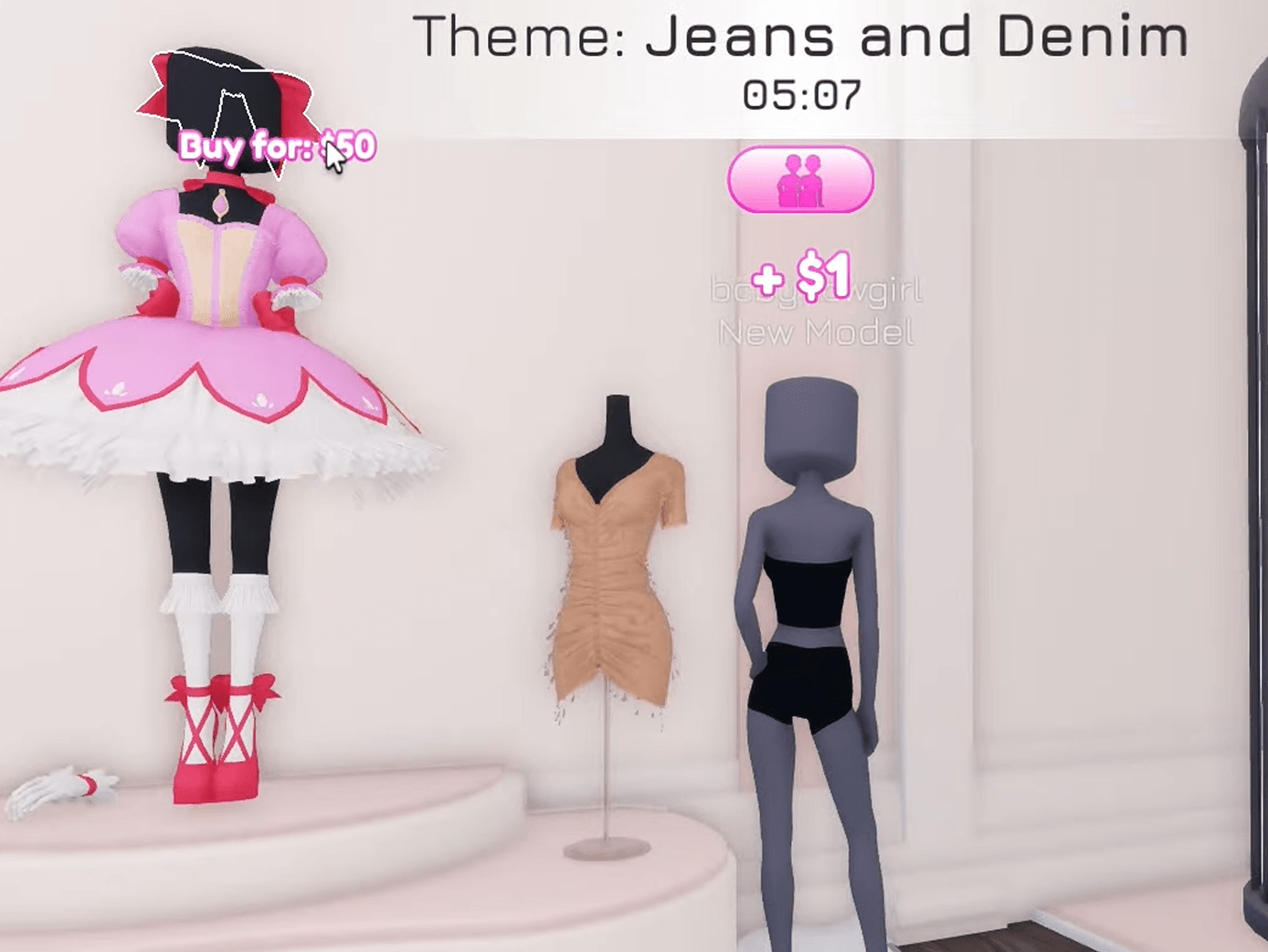
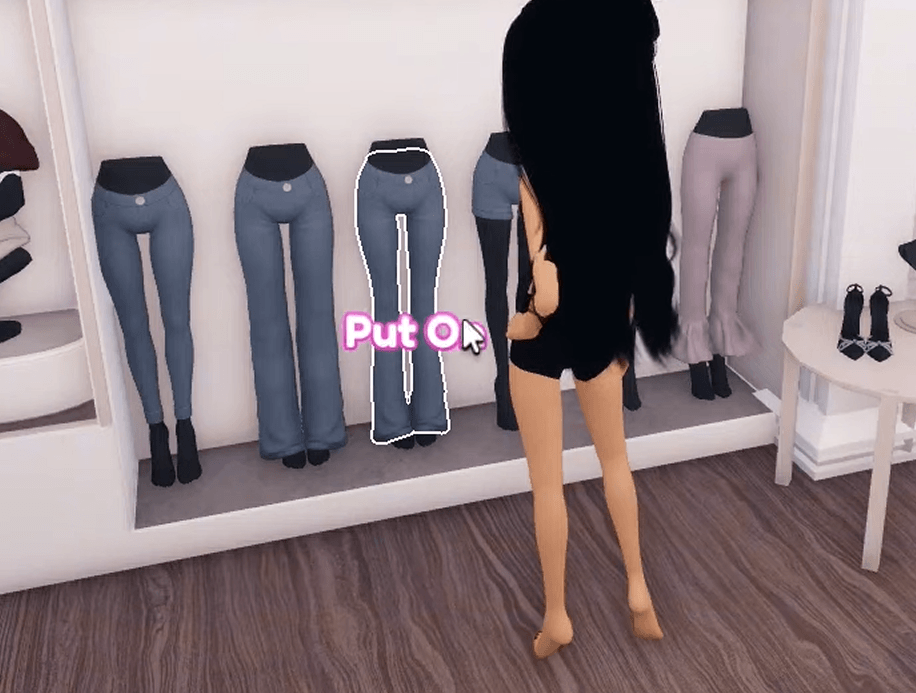
Once you've found what you are looking for, simply hover the mouse over it. If that particular fashion item is still not part of your wardrobe, you have to spend some in-game currency to get it as shown in the image above.
Now, what type of currency do you need in Roblox DTI? Well, it is simply known as Pink Cash. You can get it through various means, including getting some at random places inside the Dressing Room, earned through player-voting rounds, and completing challenges.
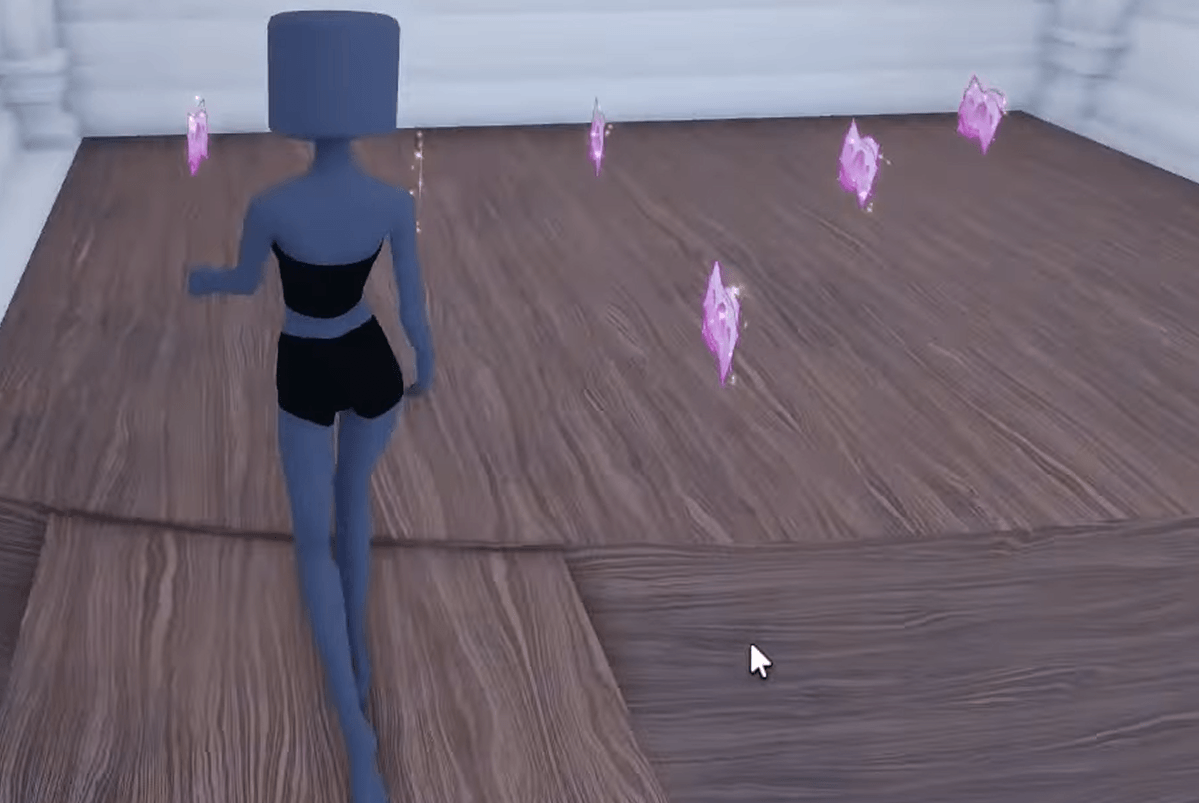
If you are a VIP, you will find more Pink Cash Tokens lying around in the VIP area as well. Take note that the VIP Gamepass requires Robux to purchase. Fortunately, you can buy 2,000 Robux from us at a much cheaper price!
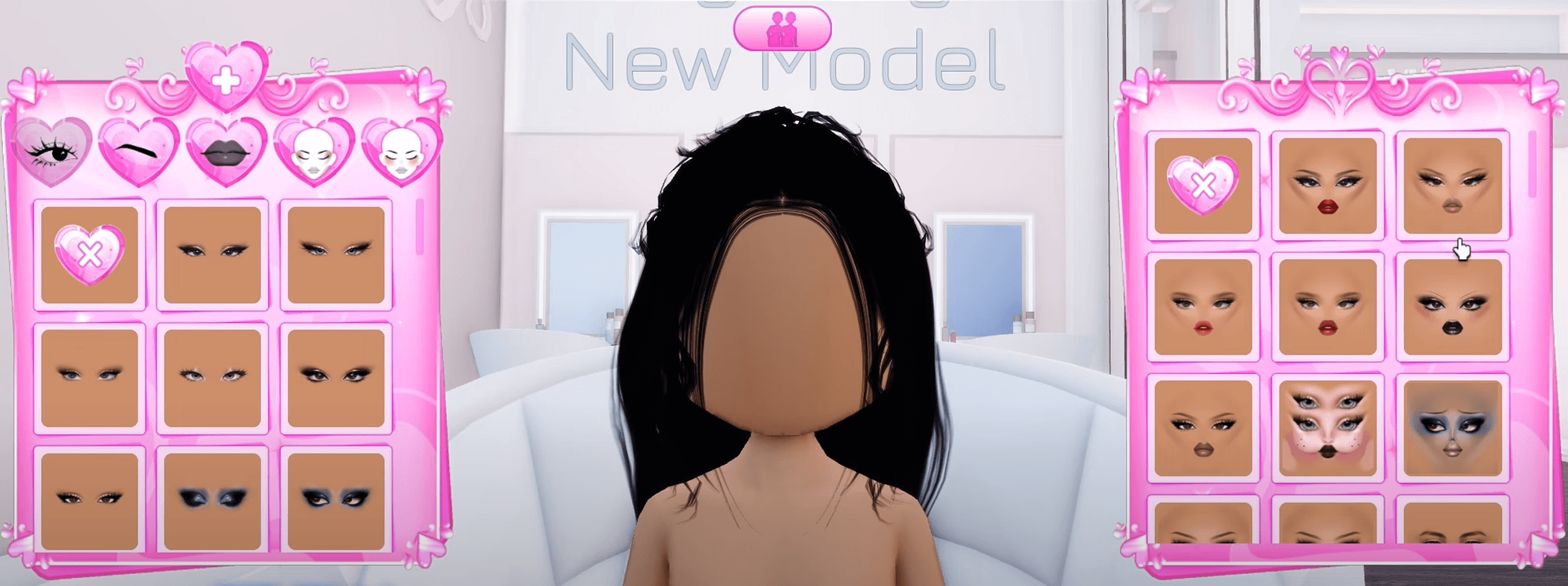
In addition, you can get yourself a haircut or a complete makeover in the various sections of the Dressing Room. For instance, you can customize your facial features (like eyelashes, eyeshadow, lipstick, and makeup) just by heading to the appropriate rooms in the game.
When you are done with that, you can try the different clothes that you have to match the theme. It's important to note that some clothes allow for further customization, so be sure to dive into those options whenever you have the chance.
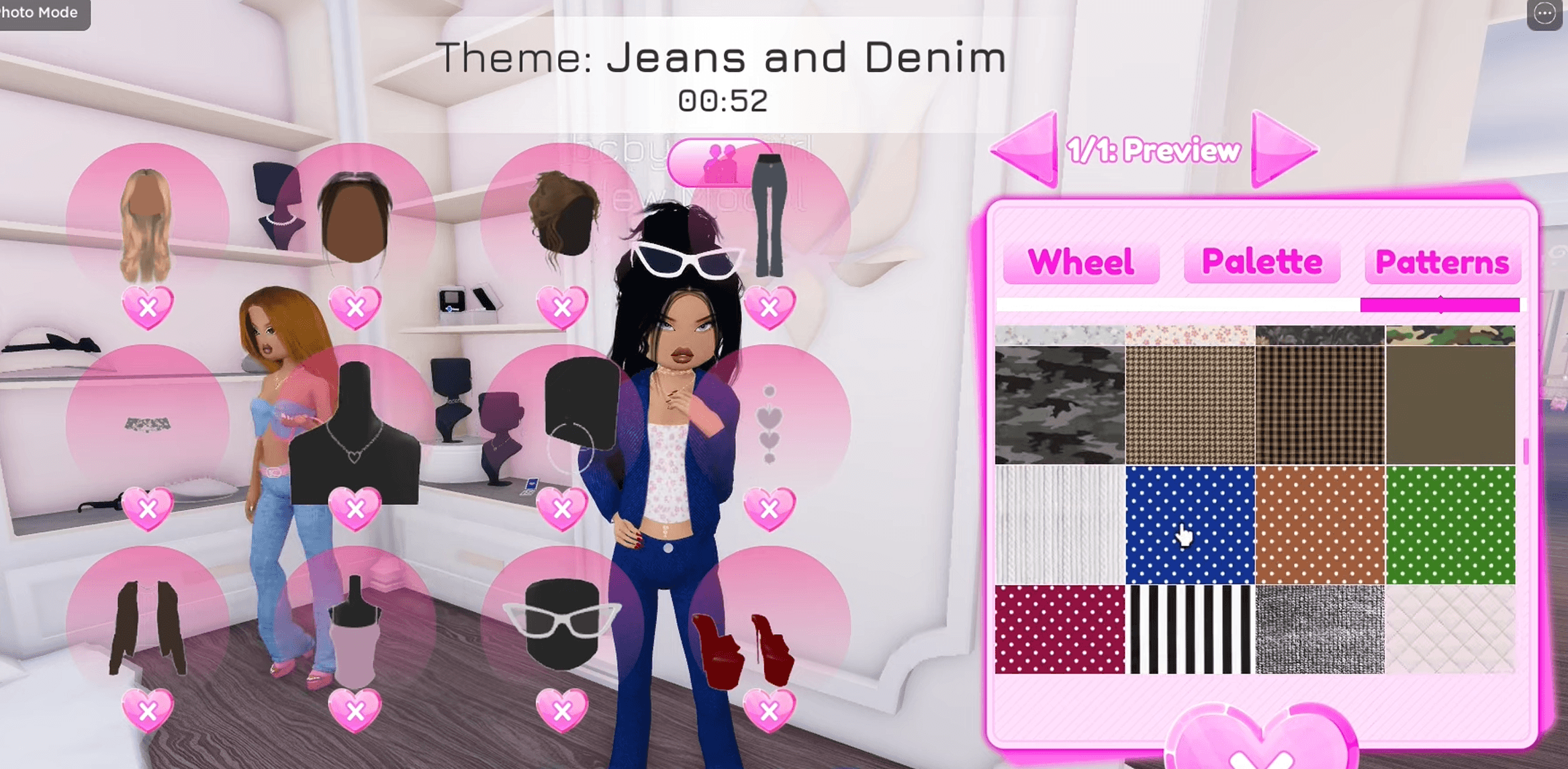
If you are not satisfied with your current outfit, check your wardrobe again and try different clothes. You will know that the clothes are ready to be worn when you see the words "Put On" when you hover over them.
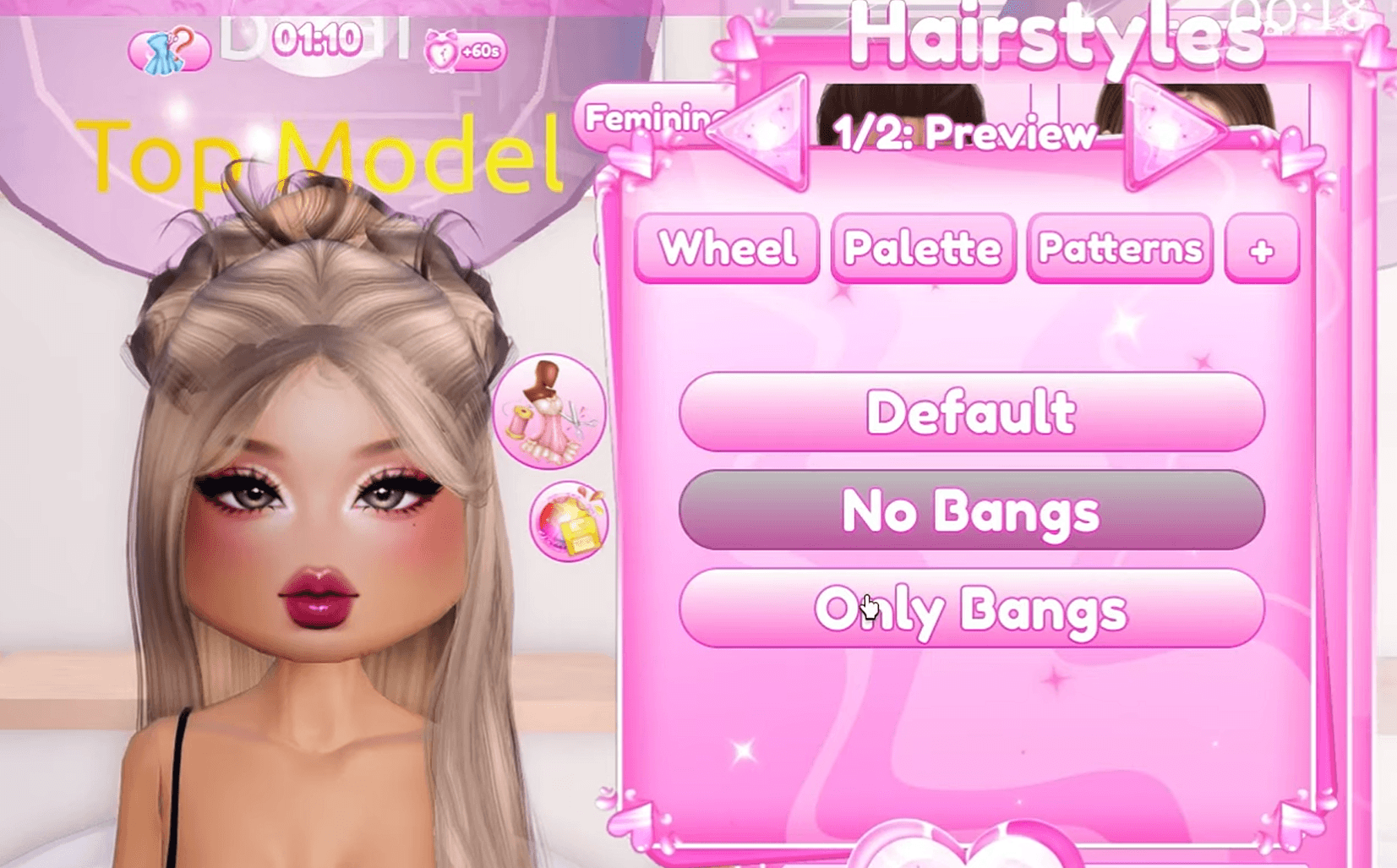
Don't forget to think about the hairstyle as it is also an important factor when it comes to the final judging. Let your creativity shine here and make sure that the hairstyle you choose will ultimately look really nice with your chosen outfit.
Time to Hit the Runway
Once the 325 seconds are up, it is now time for the fashion show to commence! You will be instantly teleported to the runway, where other players can also showcase their creations.
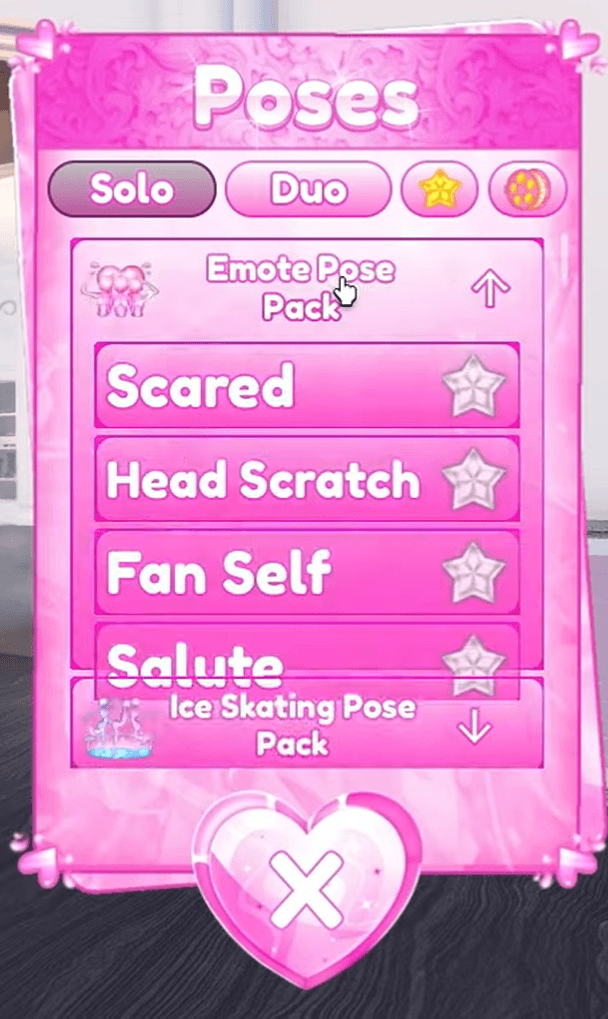
Each player will go to the middle and flaunt their own designs, and the same goes for you as well. When it's your turn to grace the runway, do not forget to strike a pose. Choosing the right pose may have an impact on your overall score.
Keep in mind that the voting process is done by other players, so there is a bit of subjective opinion on this matter. Be that as it may, continue to do what you do best—and that is to dominate the runway!
Roblox Dress to Impress Tips You Should Know
Whether you are a creative person or just someone who enjoys dress-up games, there is certainly a thing or two that you can learn before playing Roblox: Dress to Impress. In this section, we will provide you with some useful tips that every beginner should put to mind.
Redeem Codes to Get Free Items
In case you do not know, there are Roblox: Dress to Impress codes that are given on a monthly basis. These codes provide free items that allow you to customize your character even further!
If you want to know what the current codes for Roblox DTI are and how to redeem them, then check out our dedicated guide.
Practice in Freeplay Mode
Did you know that you can actually explore the Dressing Room without worrying about that dreaded timer? Yes, that's right! You can actually play DTI in Freeplay Mode, which gives you complete freedom over the things that you want to try out—all without being on a clock.
To enjoy Roblox: Dress to Impress in Freeplay Mode, you have to click on the rightmost button at the bottom-left corner of the screen (as highlighted in red in the image below):
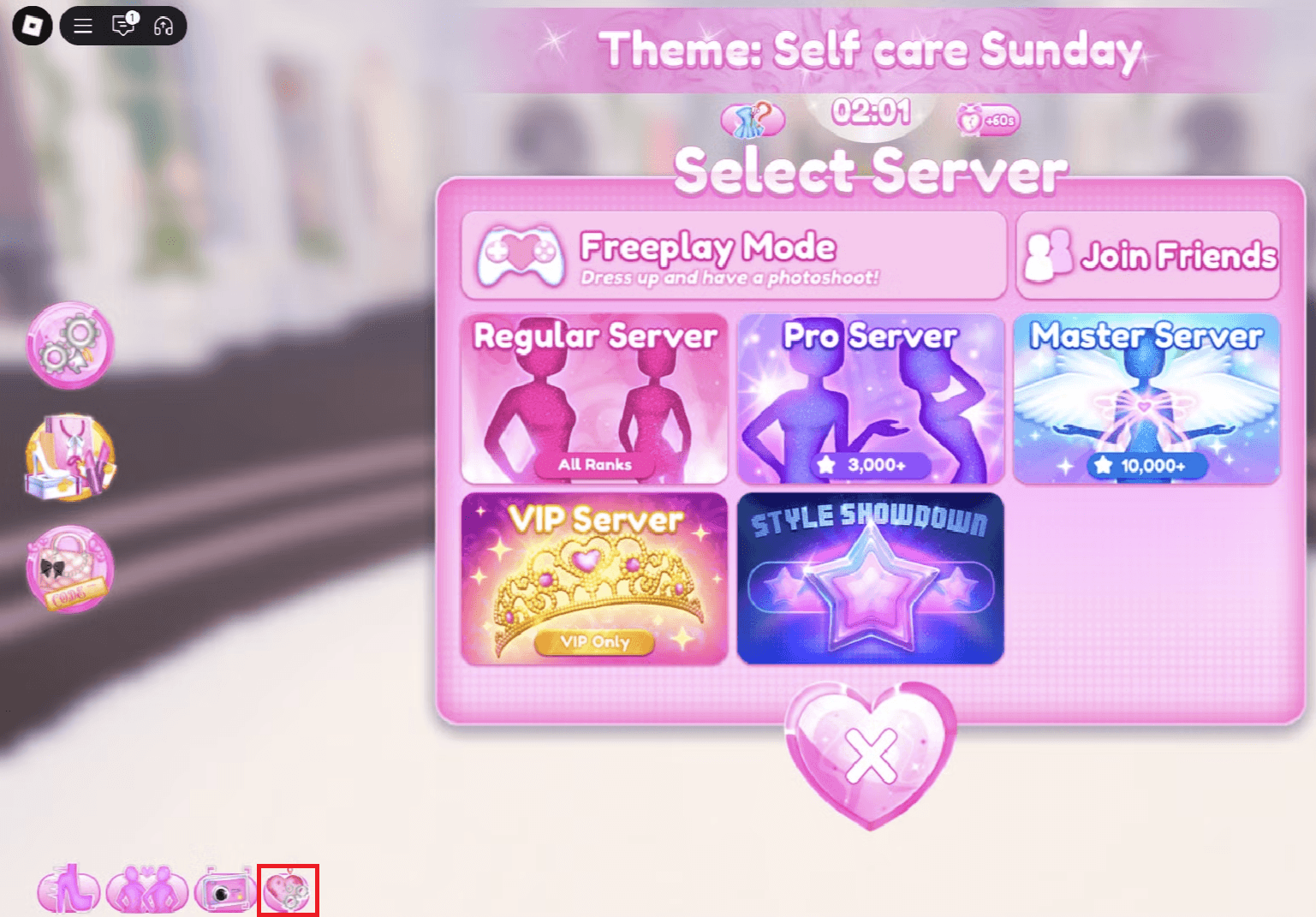
After clicking that, you should see the servers that are available to you. Select "Freeplay Mode" from the list and you can spend as much time in the Dressing Room as you like!
Once you get the hang of things, go back to the Regular Server and showcase your incredible creations!
Visit Other Platforms for Inspiration
DTI is all about following a certain fashion theme and delivering on that. Now, you might already have some themes in mind but what if you are confronted with a theme that is somewhat unfamiliar to you? What should you do then?
Well, if that happens, you can visit other platforms for inspiration. You can press Alt+Tab and open up your favorite browser. We recommend Pinterest and TikTok as they are good platforms to get some fashion inspiration from. Simply type the theme (like "Casual" and "Millionnaire") and press Enter.
Take note that you only have 325 seconds to work with after being given a theme. That is why you have to be mindful of the remaining time, especially when looking for inspiration in an external browser.
Explore All Options
This ties in with the previous tip, which advises you to play DTI in Freeplay Mode to explore all of the available options. There are plenty of customization settings in Roblox: Dress to Impress, including what clothes you can wear, what hairstyles fit a certain theme, and what accessories go well with the motif, among others.
Aside from that, you can tinker with your avatar even further by improving their eyelashes, eye colors, nails, and so on. Female avatars have more customization options than their male counterparts. So, if you find that you cannot change the nails of your male avatar, for example, now you know the reason why.
Consider Getting a VIP Pass
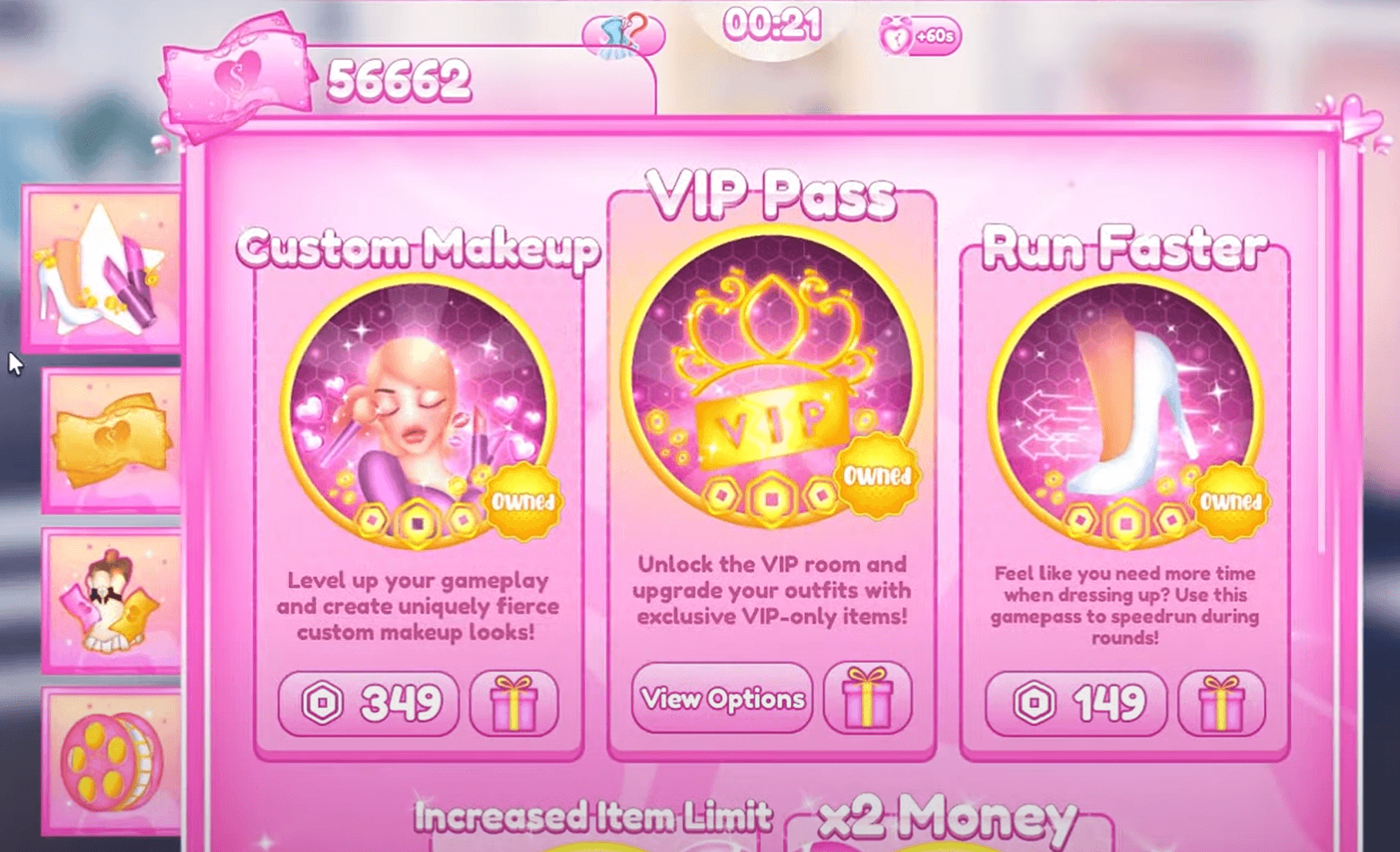
While you can play Roblox DTI for free, there is a lot of value to be had when you get the VIP Pass. You see, the VIP Pass provides you with a ton of different things, such as:
- Access to a VIP-only closet that contains various items, including unique tops, dresses, bottoms, and accessories.
- Exclusive hairstyles that are not available to F2P players
- Unique runway poses that are appropriate to more themes
- Faster currency earnings via the more frequent Pink Cash tokens lying around
That said, if you want to receive the VIP treatment, you must pay 799 Robux for a lifetime subscription. That is roughly $10 through normal means, but you can purchase Robux from us and get it for a much lower price!
Don't Go Out Without Makeup
It's quite easy to focus all your attention on the outfit you are going to wear but makeup is equally important as well. Despite its subtleness when compared to the dress, giving your avatar the appropriate makeup like the right eye shadow, lip color, and blush-on, should give you the edge over the other fashion models.
Your First Steps to Winning in Roblox: Dress to Impress
Roblox: Dress to Impress can be daunting at first. The myriad customization options and dresses you can choose from are enough to keep you busy, making you think that 325 seconds is not enough time to get things covered.
However, the game can be enjoyed in a multitude of ways. Start by playing DTI in Freeplay Mode so that you can get an overall feel of what you are up against. Once you have explored every nook and cranny, you can go back to the Regular Server and show people what you are made of!
Every detail matters—despite how small or insignificant they may be. While getting the outfit right is important, your makeup is also crucial to your success. Always think of the entire package when beautifying your avatar.
Although some subjective opinions may sway votes in favor of your opponent, always remember that as long as you are enjoying the game, then that is what truly matters!
We recommend that you check out our RPGStash Blog frequently to get the latest Roblox: Dress to Impress codes and strategy guides.
So, will you be playing Roblox: Dress to Impress anytime soon? If so, what themes do you think you can excel at? Share your thoughts in the comments!