


Roblox Evade Guide: 5 Advanced Movement Tips for Pro Players
14.07.2025 - 12:24:28
Game Guides , Roblox


Do you want to outrun the Nextbots in Roblox Evade? If so, you want to get ahead of the pack and learn some advanced movement techniques. These techniques would allow you to gain momentum, leaving the slower players behind for the Nextbots to pick apart. Come and join me as we explore the various movement techniques that a pro Roblox Evade player would use today!
Just a reminder before we begin. We have our very own Roblox Store, which is complete with various items to deck your characters out. We have cute and adorable pets on offer, as well as affordable Robux bundles. So, if you want tobuy Roblox Items, be sure to pay our online shop a visit!
Mastering Advanced Movement Techniques in Roblox Evade
The key to not getting caught in Roblox Evade is to initiate various movement techniques that would allow you to get ahead. Evading the Nextbots is also known as "juking" for those who are new to the game.
Having said that, I am going to share with you some advanced movement techniques that you should definitely master if you want to win. Without further ado, let's get started!
Bunny Hopping
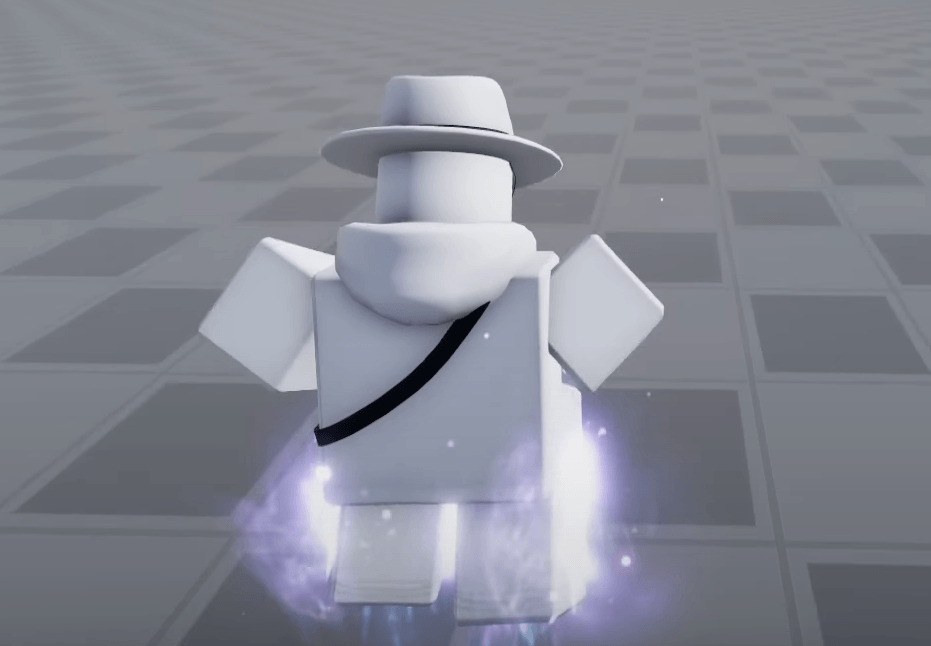
Bunny Hopping is one of the most commonly used movement techniques in Roblox Evade. It is quite easy to do, actually. Simply press the spacebar repeatedly to jump while you are running.
This is used as a means of traversing a wider area faster than normal running. That's right! For some reason, you cover more ground and accelerate faster when you jump in this game, making the bunny hop a useful tool for every Roblox Evade player.
Now, the key to bunny hopping consistently is to time and press the jump button perfectly when landing (from a previous jump). You don't even have to use macros to initiate a bunny hop because the game is pretty lenient when it comes to its execution.
Strafing
Strafing in Roblox Evade looks a lot different than in FPS games. Instead of moving a considerable distance from left to right (then right to left), strafing in this game only requires that you move your character an inch on either side.
To perform strafing, you hold the A (Left) or D (Right) keys while running. Don't forget to turn your camera in the same direction as the directional keys you are holding. So, if you are holding the D key, turn the camera to the right as well.
Strafing can be done while on the ground or in mid-air. This is typically performed during bunny hopping to go even faster.
Why is strafing such an important move to master in the game? Well, that's because strafing is a precursor to the more advanced movement techniques, which you will learn as you read through this Roblox Guide.
A+D Tapping
For some reason, running in a crooked way in Roblox Evade makes you run faster than simply moving forward in a straight line. That is why the "A+D Tapping" technique is awesome because it's not only easy to perform but quite useful for outrunning the Nextbots as well.
This movement technique is as easy as it sounds. You just tap the A and D keys repeatedly to gain a noticeable boost in speed (compared to regular running). For a technique that can be done in literally two taps (in quick succession), you should add A+D Tapping to your repertoire.
Nextbot Juking
The objective of this movement technique is to lose the Nextbot that's chasing you. After all, if you get caught by it, you're eliminated from the game.
Nextbot Juking refers to anything in your own capacity to outrun the killers that are chasing you. The easiest way to do this is to simply run around in circles. To do this, hold the W or S keys depending on whether you are moving forward or backward, respectively, while tapping A or D to move left or right.
In typical circumstances, you're going backward when Nextbot Juking just to see where the killers are at, though running forward is not that bad, especially if you are already an experienced player in Roblox Evade.
Wall Hugging
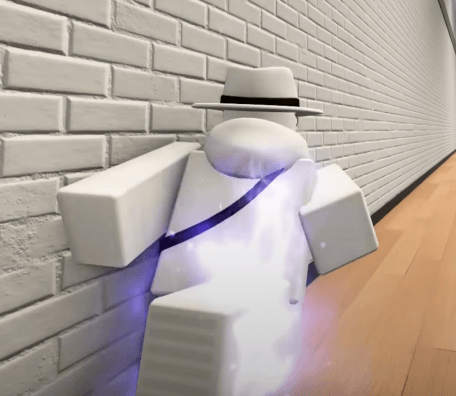
Yes, this next movement technique does what it says on the tin. Wall Hugging is a technique where you hug the wall while you are running but you are doing so at a slight angle to gain a boost in movement speed. Run close to a wall while holding the A or D key (depending on whether the wall is on the left or right side, respectively).
Wall Hugging is incredible because it significantly boosts your movement speed. This is even more pronounced when you are wearing Hermes Shoes.
Slide Hopping
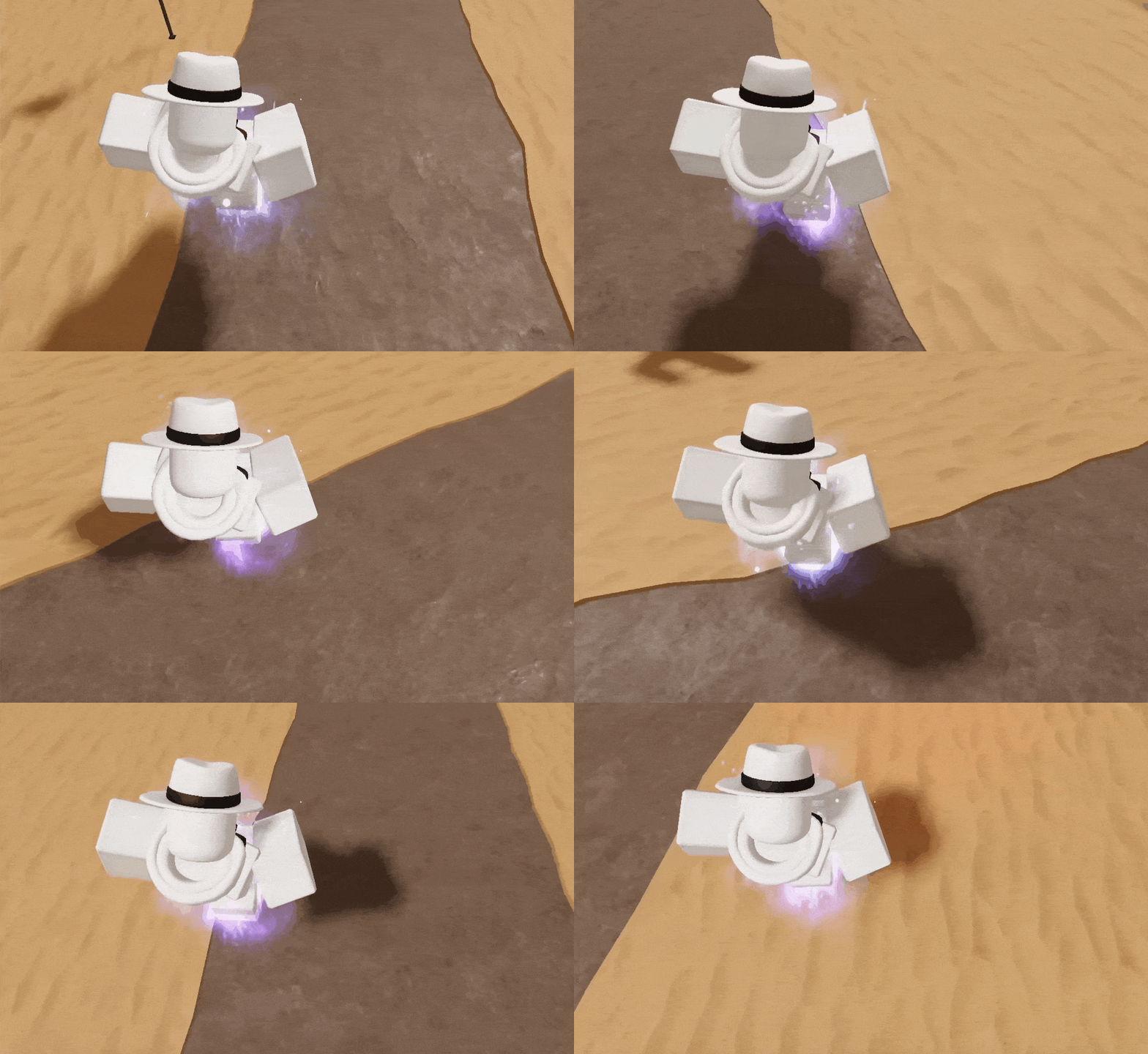
Slide Hopping is pretty much bunny hopping, albeit you hold the Ctrl Key while bunny hopping to initiate the slide. This movement technique allows you to constantly hover around 55.5 speed while bhopping, ensuring that you get out of the Nextbots' grasp if you are being chased.
You can even take things a step further by strafing while you're in the air. This takes a lot of time, practice, and patience to pull off consistently, though your efforts will bear fruit as this is one of the most useful techniques you can master in Roblox Evade.
To make it a whole lot easier to do strafing while in mid-air, you can equip the Spring Shoes to gain the ability to perform a double jump. Take note that this item is only available at level 60.
Flick Hopping
Another unique bhopping method, Flick Hopping is where you combine ground- and air-strafing while pressing the spacebar to jump consistently. This means that you have to alternate between pressing the A and D keys while you are jumping.
Flick Hopping is quite useful as it helps you maintain a speed of 60 to 65. Think of this technique as just bunny hopping with extra steps.
Hitbox Hopping
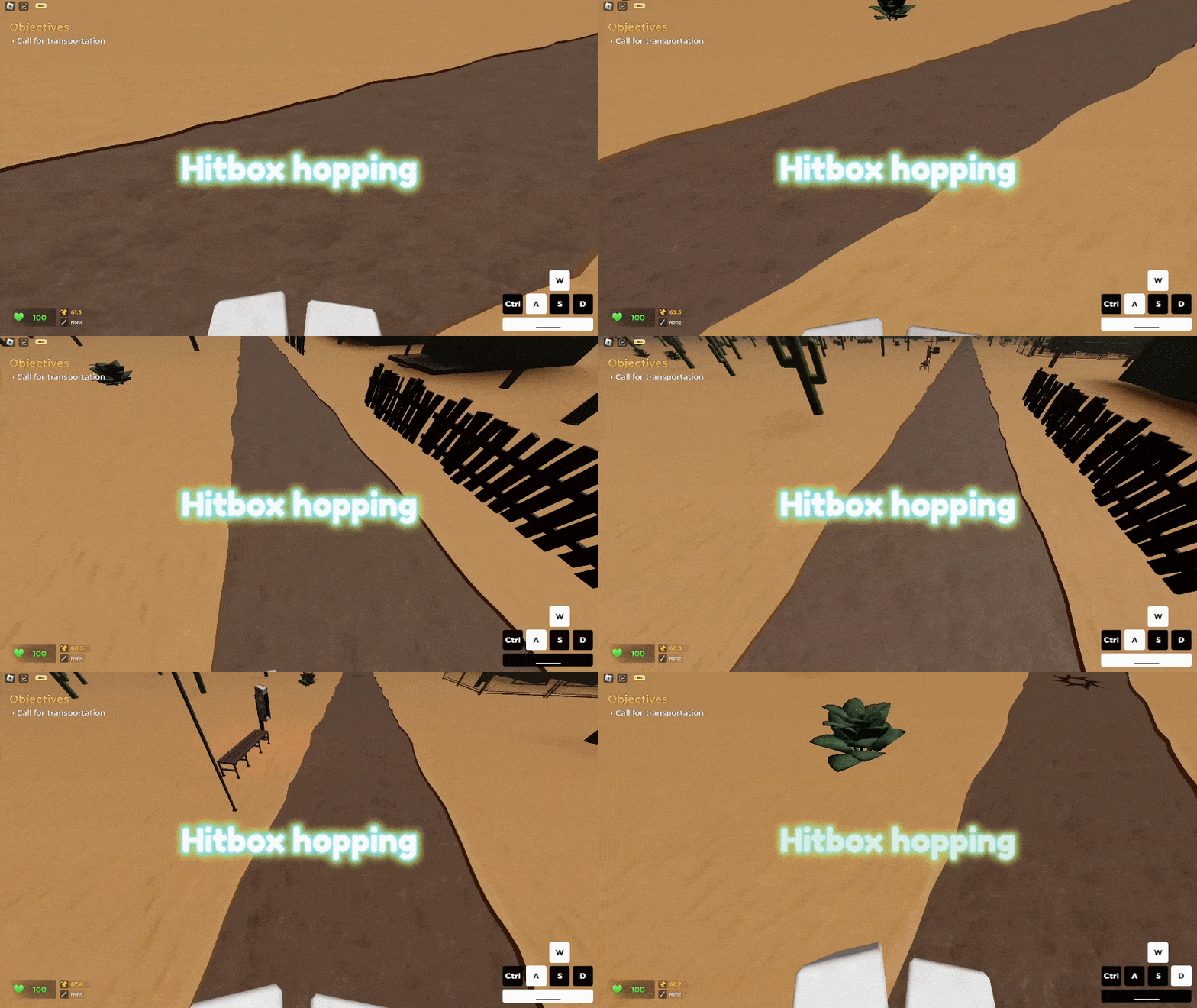
Also known as Angle Hopping, Hitbox Hopping is a more advanced form of bhopping that is reliant on having a consistently high FPS. This means that mobile device users will have to use a more competent device to achieve more than 50 FPS.
Anyway, the idea of Hitbox Hopping is to continuously press the W key to move forward, perform a jump, and then quickly tap A and D. Think of this as sort of a "diagonal jump" while bunny hopping.
If you find it difficult to do this, you can practice moving diagonally by holding W and quickly tapping the A and D keys repeatedly, one after another (and without doing the jumps). It also helps to look directly down to somehow get the feel of jumping (without actually doing so). Once you are good at this, you can include pressing the spacebar in between.
When you are ready, you can perform an actual Angle/Hitbox Hop by holding the W key and tapping A followed by D (and vice versa) immediately after jumping. The reason why this works is that this technique somehow tricks the game into thinking that your base speed is higher than it actually is.
Once you've mastered this, Hitbox Hopping allows you to maintain speed while you are getting away from the Nextbots. If you still cannot do this consistently, one trick is to press the spacebar twice before shifting from A to D (or D to A).
Fence/Edge Hopping
This next movement technique is also known as Edge Momentum, by the way. Fence/Edge Hopping is a technique where you jump over certain objects in Roblox Evade, particularly at the tip (or edge) of those things. Doing this helps you preserve your speed because the game thinks you've never actually touched the object, thereby allowing you to jump freely over obstacles without getting hindered one bit.
Fence/Edge Hopping is mostly done on the edge of fences (hence, the name). However, you can also initiate Edge Momentum on slopes.
Emote Hopping
As the name of this technique implies, Emote Hopping is where you perform a slide hop while using an emote. To do this, use an emote (like Bold March) and then strafe from left to right while jumping to accelerate. Other emotes you can use for this purpose are Broom of Doom and Snowmobile Cruise.
What's cool about Emote Hopping is that you don't even have to hold the W key while performing this technique because the emote itself will propel you forward. Take note that since you are not technically running (forward), certain items like the Stilts and the Hermes Shoes provide little to no effect.
Surfing
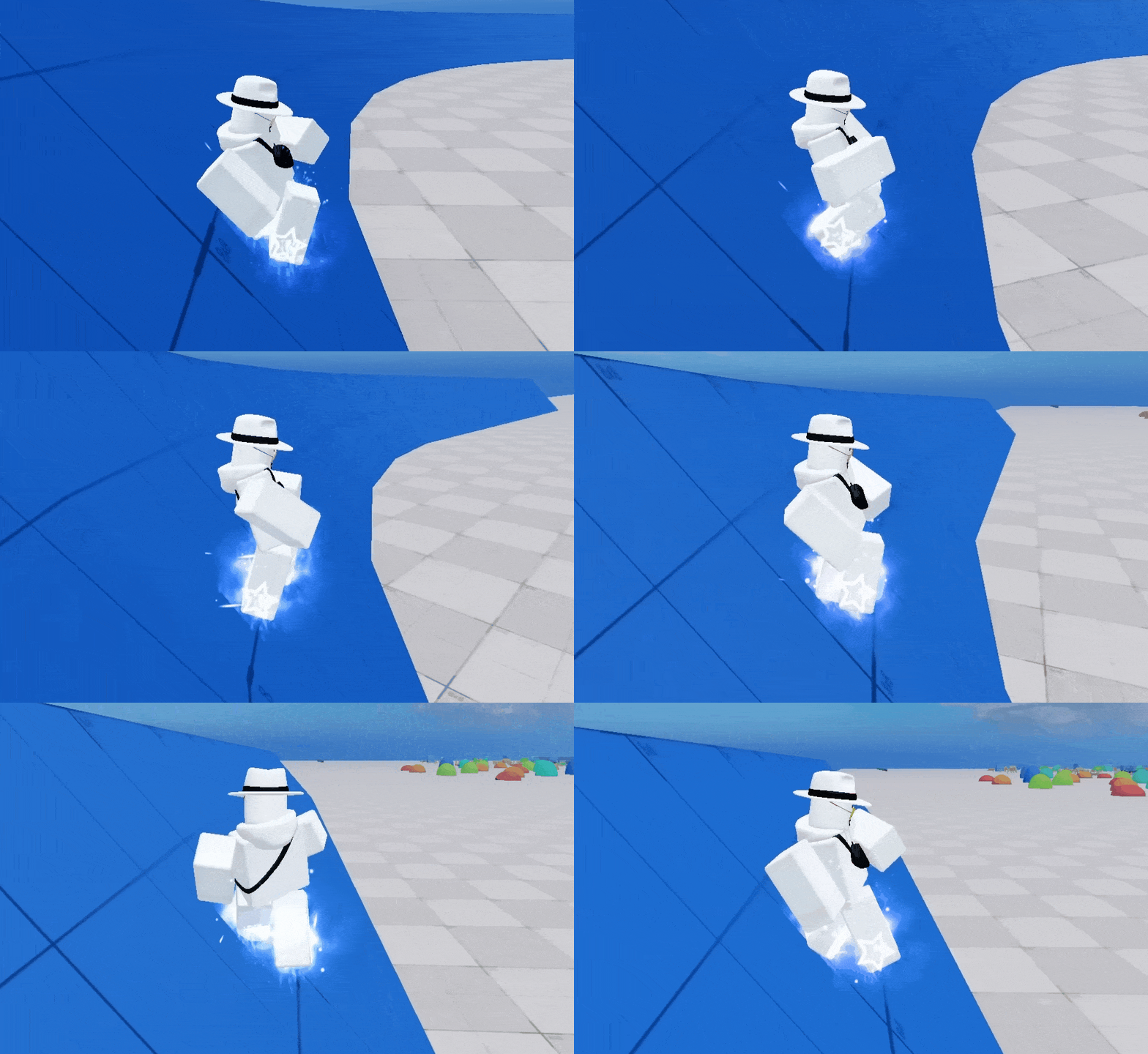
The premise of Surfing in Roblox Evade is the same as in real life. Basically, you slide across an inclined surface while facing away just like regular surfing on the beach.
Surfing enables you to maintain a consistent speed as you move around the area. Keep in mind that an inclined surface is pretty much needed for this to work.
Another thing to note here is that how steep the incline is has an impact on your acceleration. The shallower the incline of the platform you are on, the slower you get to reaching your top speed (though, you'll eventually get there).
Water Surfing
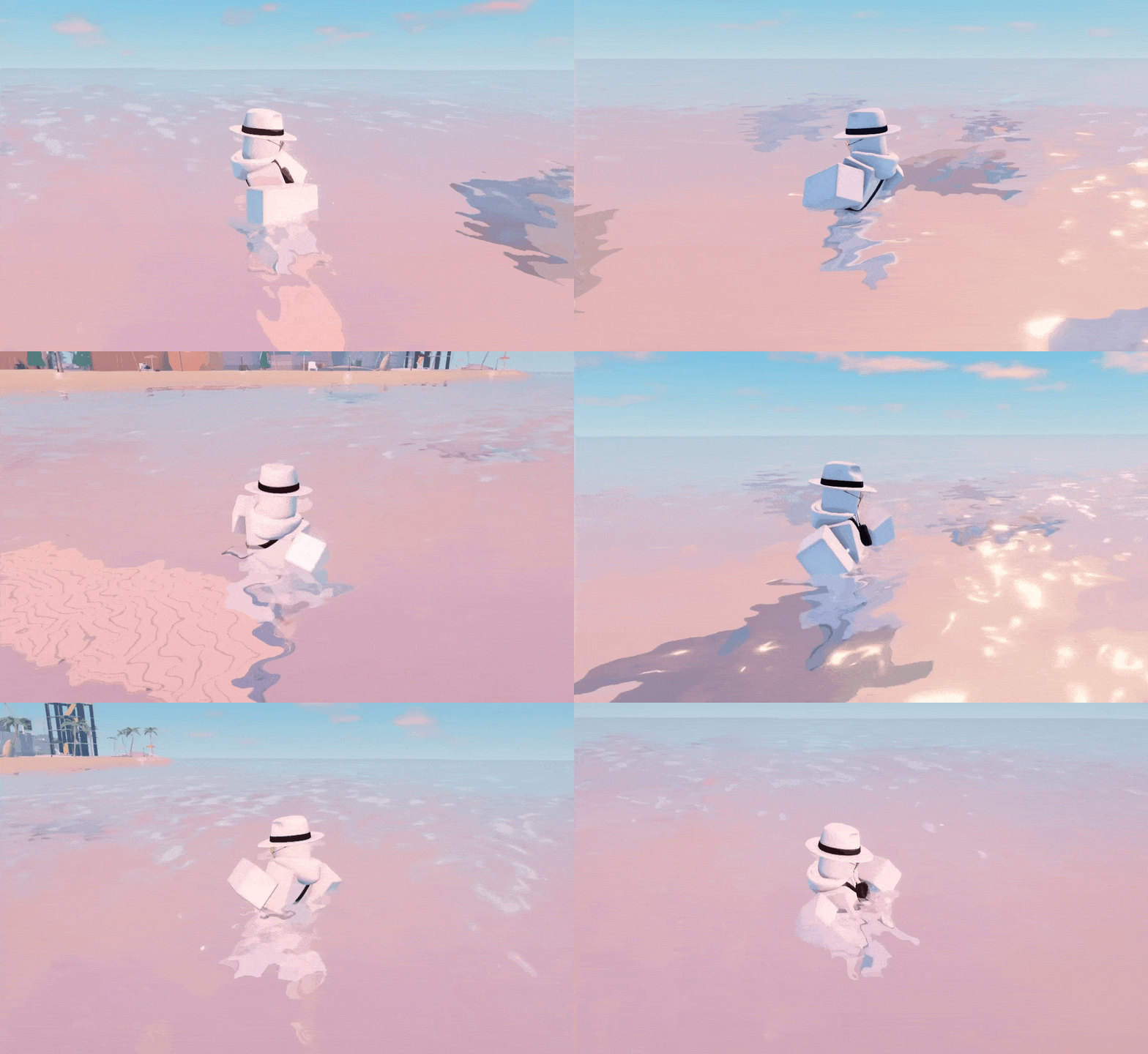
This next movement technique is different from the last one even though it's still called "surfing." That said, Water Surfing is basically air-strafing plus using an emote while you're in the water. Doing so will allow you to gain speed, which is typically hard to do by normal means when you're not on solid ground.
You can do Water Surfing by utilizing your preferred emote (usually Bold March) and then initiate air-strafing while holding W. The W key can be released once you've reached a speed of 20. At that point, you can continue air-strafing on water to do Water Surfing to your heart's content.
Ramping
Do you want to jump really high up in Roblox Evade? Well, there are a few things that you can do to achieve that—one of which is a technique known as Ramping.
Ramping is executed by running into a slope while jumping. Timing is everything here because if you jump too early, you won't be able to move that far up.
If you have the Hermes Shoes equipped and your hands are fast enough, you can even do a ground strafe just before jumping to reach even greater heights!
Emote Backsliding
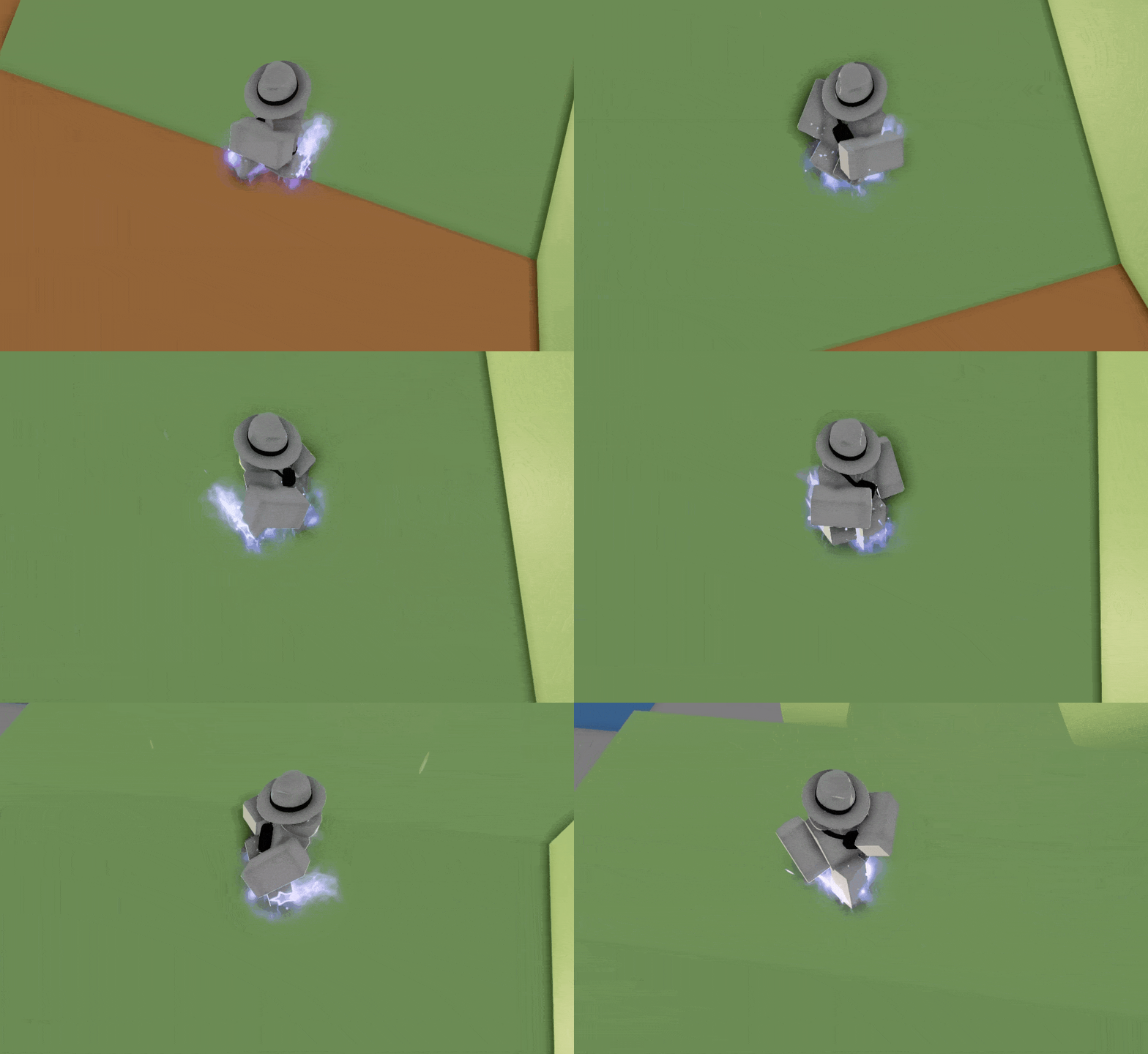
Do you want to go up the ramps in Roblox Evade much faster than regular running? If so, you should master Emote Backsliding for sure!
Emote Backsliding is an advanced movement technique where you perform backsliding to surf the various ramps in the game moving upward. This is quite similar to surfing but instead of moving sideways, you're actually climbing up.
To perform it, do an emote hop as you move up the ramp. While climbing upward, tap A and then D (one after another). Repeat as many times as needed. This enables you to move your character up without holding down the W Key.
It is important to note that you should not hold the W key while performing the Emote Backslide (similar to Emote Hopping). Otherwise, this movement technique won't work!
Object Trimping
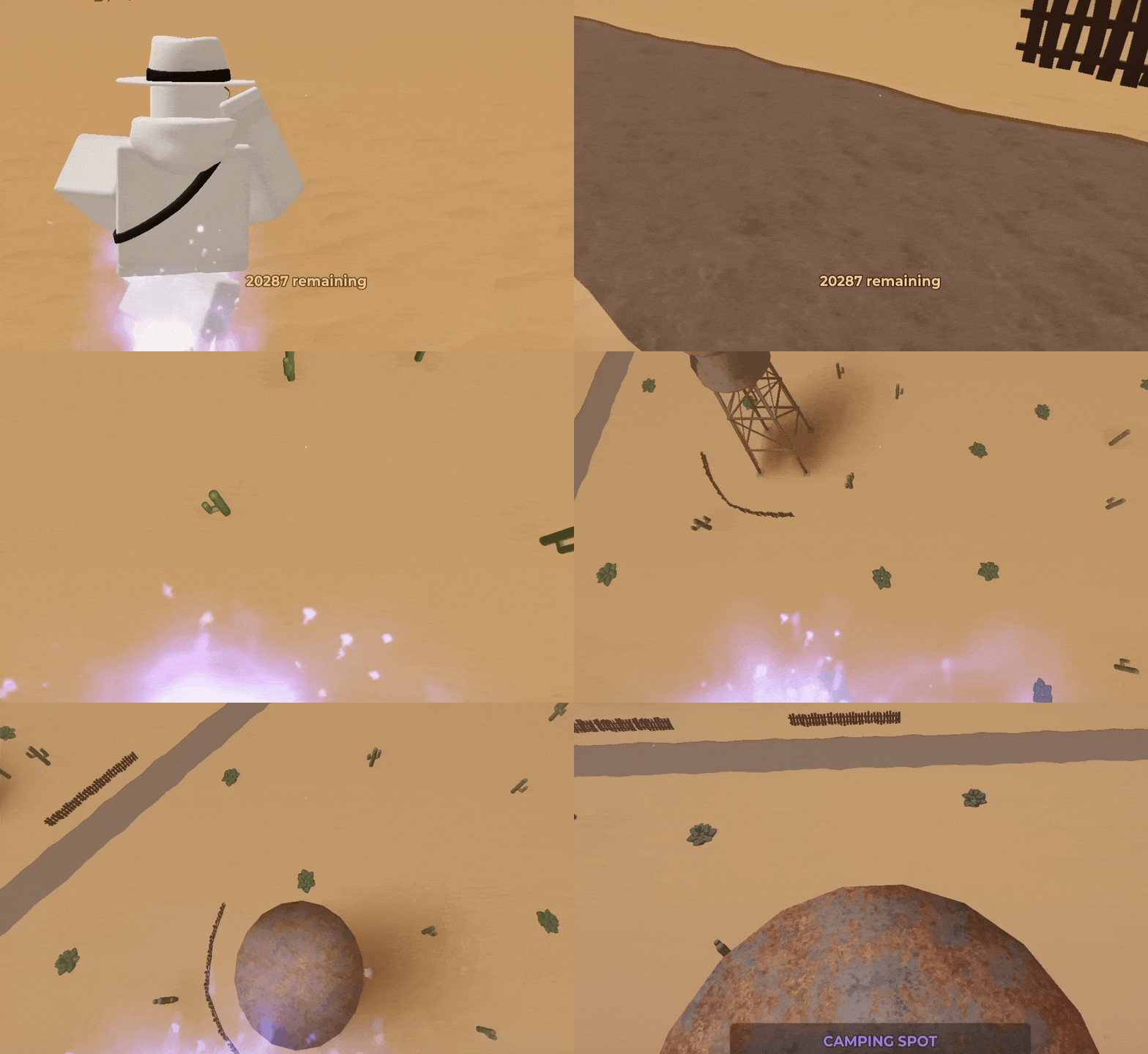
Trimping is a term used to refer to using ramps and other angled surfaces in various games to gain speed and momentum. In the case of Roblox Evade, Object Trimping is essentially the use of any object (typically, a bench) that lets you jump really high up when done correctly.
To do Object Trimping, you have to run and gain momentum first. After that, move towards a bench or an angled surface and then press the spacebar to jump. You can safely spam the spacebar to make the jumping part of this technique easier to do.
Edge Trimping
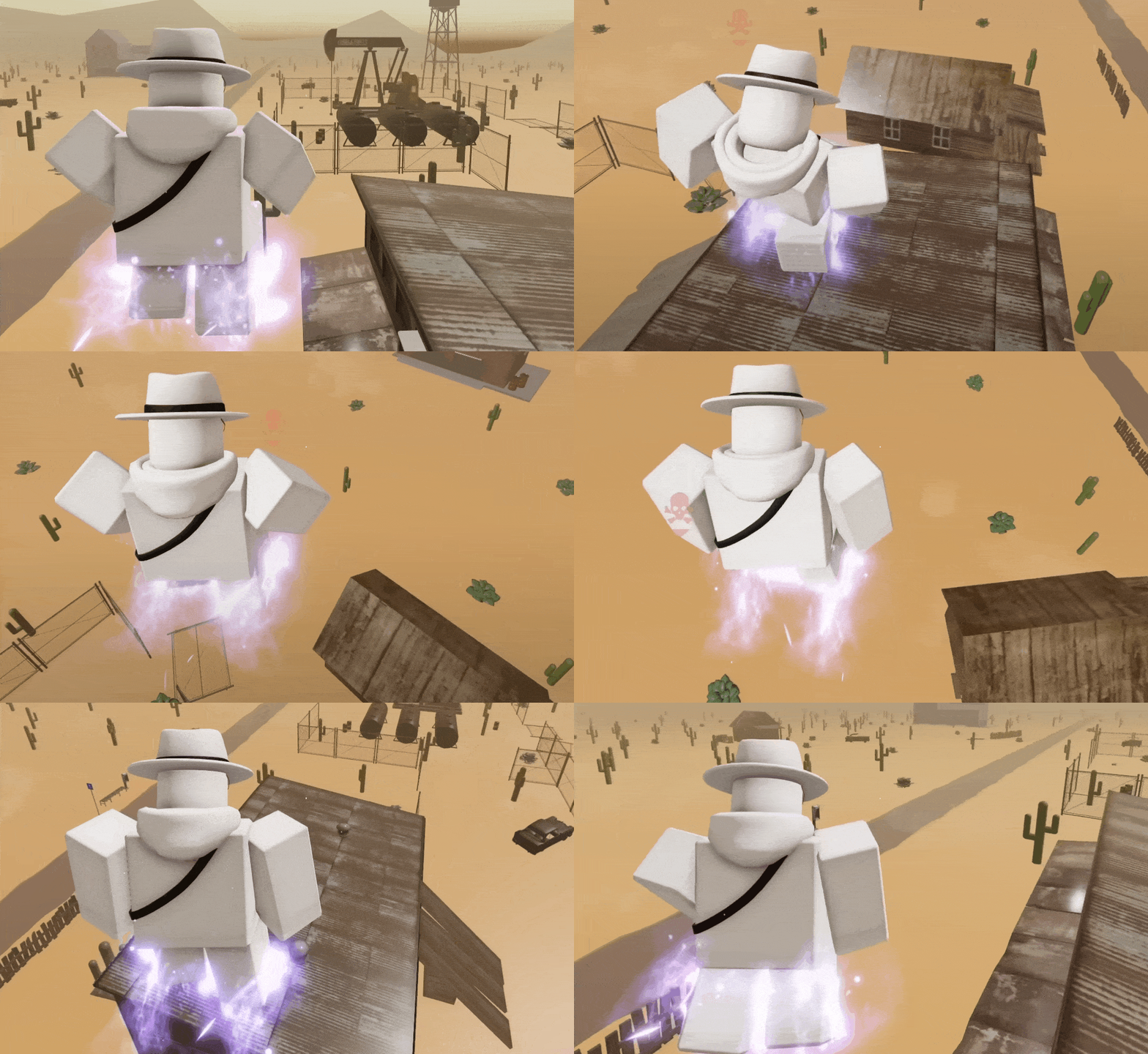
This next advanced movement technique is similar to the previous one, except that it's usually performed by jumping off the thin edges of objects to fly very high up.
Edge Trimping is typically done to reach areas that wouldn't have been possible if it weren't for this movement technique.
To perform Edge Trimping, jump and drop to where the edge of a particular object is and then jump again. You can also spam the spacebar as you descend to make things a whole lot easier for you.
It goes without saying that the jump must be done directly at the tip of an object. Think of this as aiming for a launching platform, if you will.
Bouncing
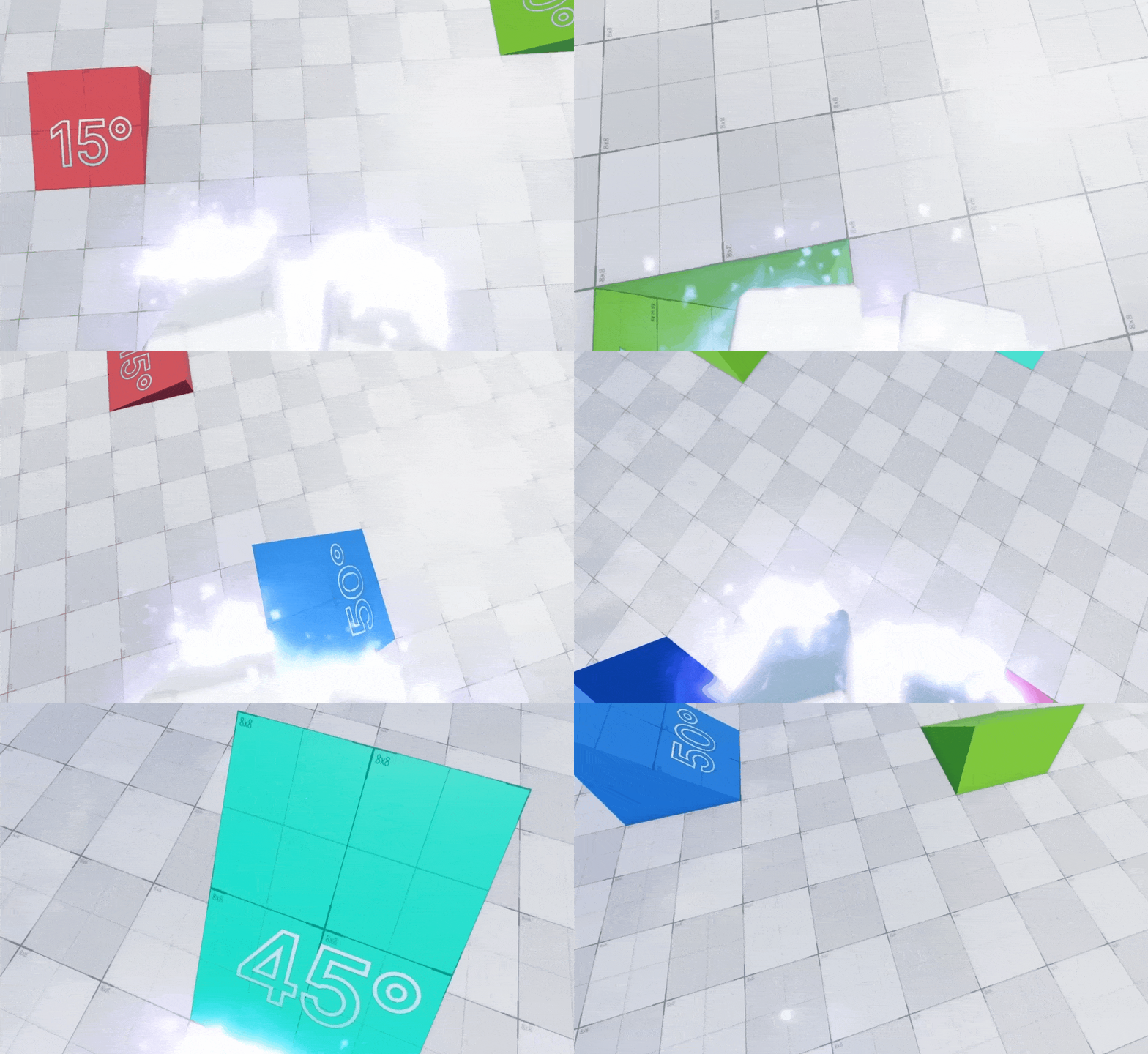
Bouncing is a combination of air-strafing and object trimping. To do this, you have to jump off a ramp first. While you're in mid-air, do air-strafing and aim for the slope or object you want to land on.
Air-strafing serves two purposes here. First, it lets you aim for a slope/object better than just descending naturally. Second, it helps you accelerate faster and maintain speed, which is useful if you want to bounce off ramps/slopes more consistently.
Now, press the spacebar as soon as you touch your foot on the slope. If done right, you will bounce off that slope at a much greater height than the previous jump.
While it is possible to perform this by spamming the jump button as you land, I advise against it. That is because continuously pressing the spacebar, in this instance, could cause you to mess up the rhythm, preventing you from executing a perfect bounce.
The choice of a landing spot is also a huge factor here. A ramp, slope, or object with a 30-degree incline is ideal. Bouncing off slopes/ramps with a steeper incline (45 degrees or higher) would require you to turn sideways just before you land.
In addition, it's recommended that you look down as you descend before performing the bounce. I don't know if this is a placebo or not but looking down while bouncing helps you get to greater heights (or at least, it seems like it).
Infinite Slide
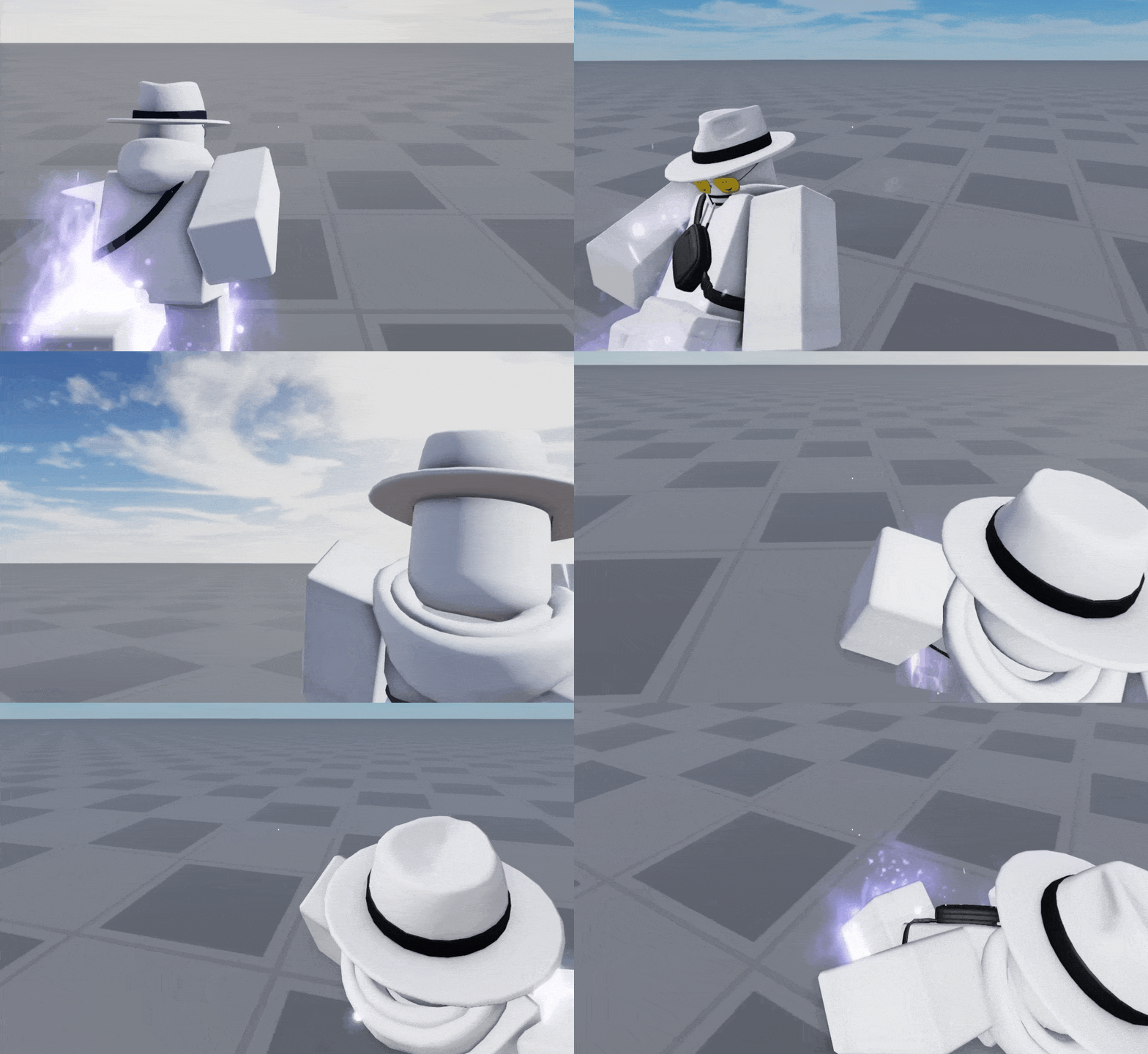
Do you want to slide in style in Roblox Evade? If so, the Infinite Slide is a technique that you should definitely add to your repertoire! The Infinite Slide can be done by running and then jumping. Just before your character lands on the ground, you immediately turn the camera in the opposite direction while holding the Ctrl and S keys.
Only hold the S key after you have successfully landed on the ground. Otherwise, you cannot perform this technique properly.
During the initial slide, do not forget to move the camera from left to right as well. This is a necessary step to gain speed and maintain momentum. Failure to do this will halt your character once the initial slide animation is finished.
Since sliding in Roblox Evade only maxes out at 55.5 speed no matter what you do, you cannot go beyond that number while performing the Infinite Slide.
Wall Jumping
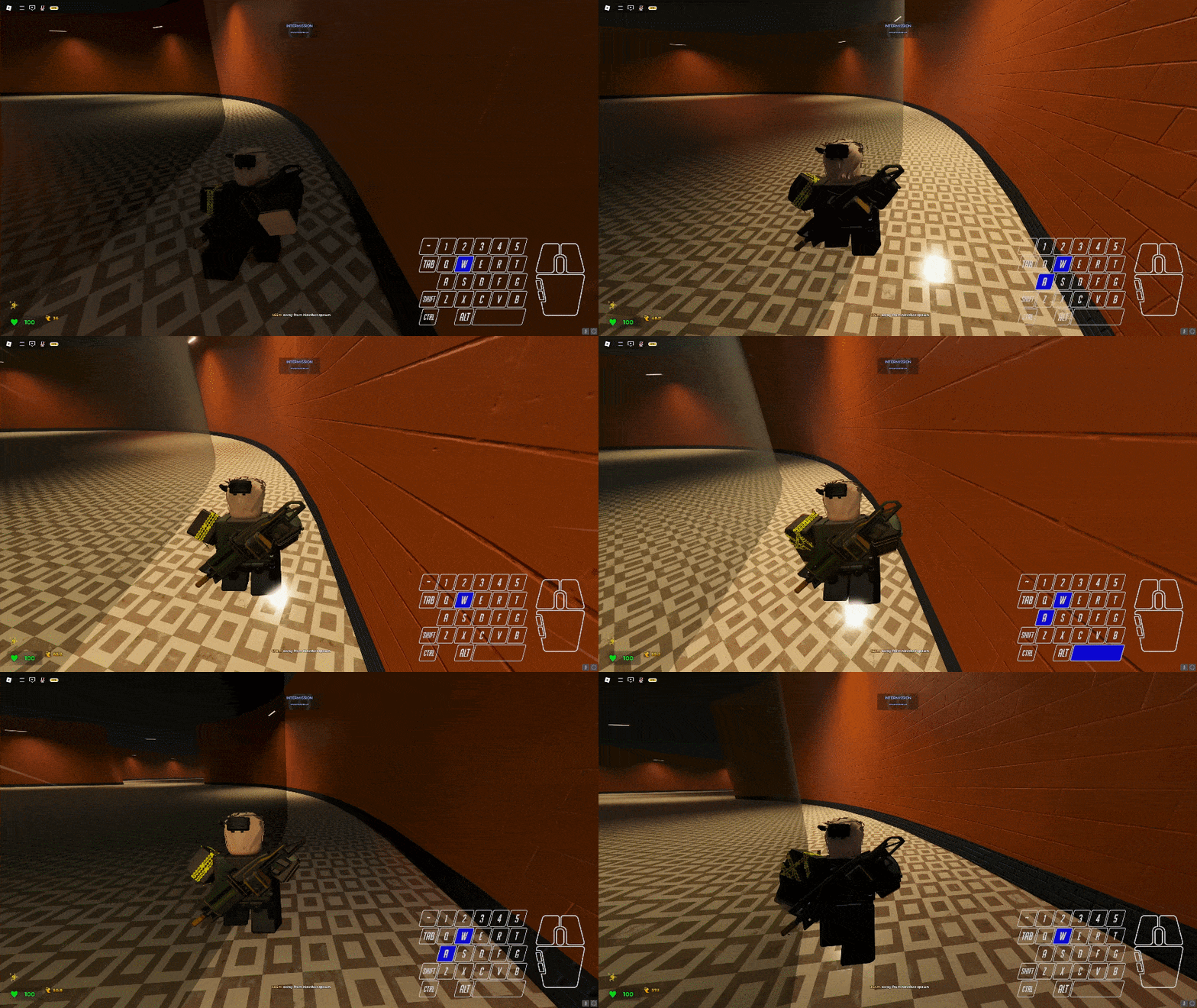
Wall Jumping is one of the newest movement techniques in Roblox Evade. This involves running against a wall by holding the W Key and then tapping A or D while pressing the spacebar to jump from one side to another.
To jump to the other wall, press the spacebar again along with the A or D keys depending on which side you are currently on. If you're on the right side, for example, press the spacebar and hold the A key. Repeat these steps as many times as you like.
Wall jumping can also be performed backward. To do this, just do wall jumping as you normally would, though you turn the camera in the opposite direction as soon as you initiate the first jump. Once your character is facing the other way, hold the S key instead of the W key since you are now moving backward.
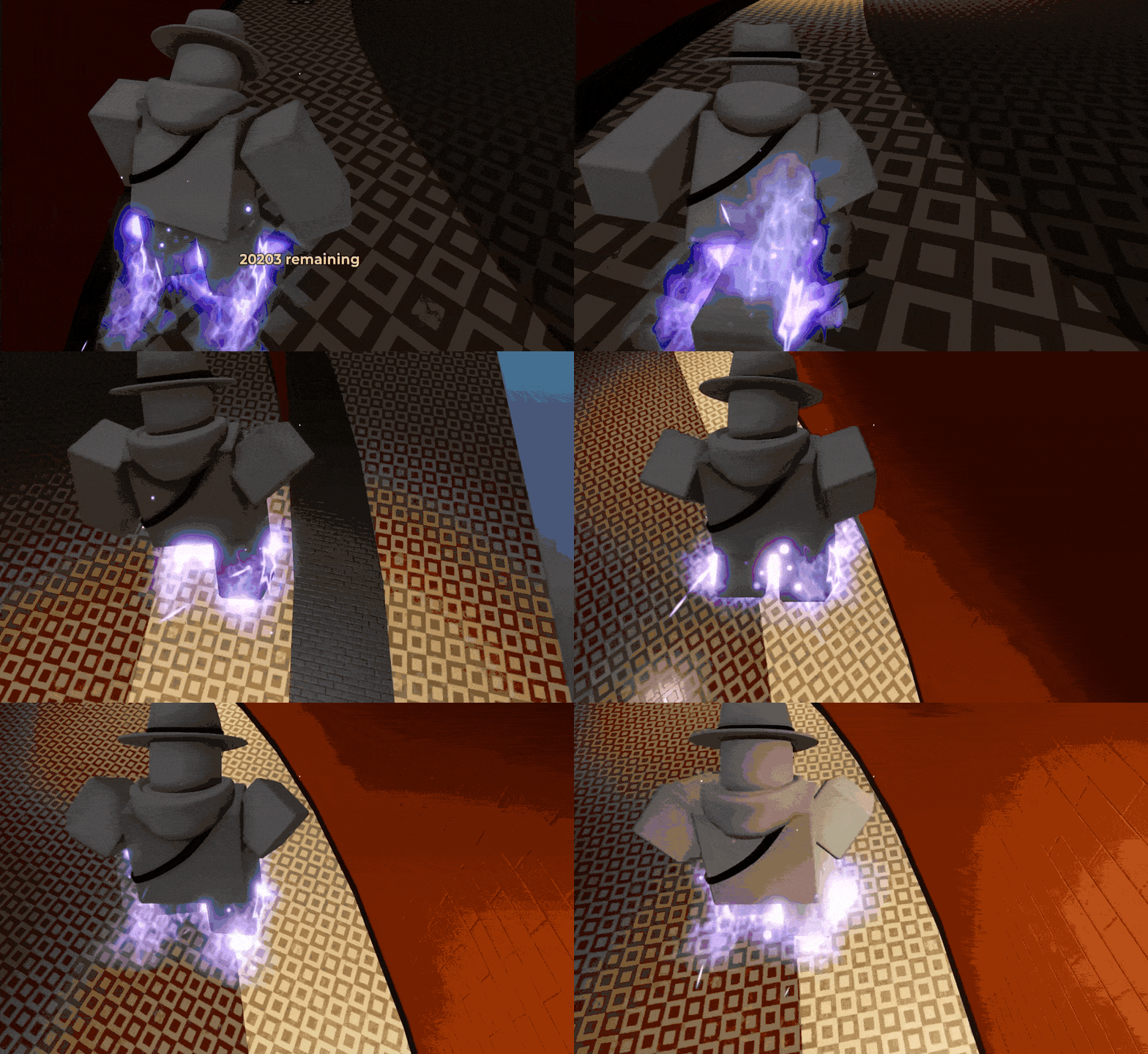
At the time of writing this Roblox Guide, Wall Jumping is only usable on the Loop and Maze maps. Hopefully, more maps with prominent walls will be developed in the future to take advantage of this particular advanced movement technique.
Why Advanced Movement Techniques Matter in Roblox Evade
You might think that you can get away from the Nextbots in Roblox Evade simply by running forward and not looking back. However, the reality of it is that you have to initiate various evasive maneuvers to truly get out of harm's way.
Bunny Hopping and Strafing should be part of your core skills. These two will help you perform the more complicated techniques later down the line. Once you've mastered bhopping and strafing, then you can try A+D Tapping and Flick Hopping.
When the above-mentioned techniques have been well-ingrained in your muscle memory, you can start performing the more advanced techniques, such as Hitbox Hopping, Edge Trimping, and Bouncing.
The Infinite Slide and Wall Jumping are two invaluable tools that you should also include in your kit.
Well, that's about it! I hope that you've found this advanced techniques guide for Roblox Evade quite helpful. Be sure to visit our RPGStash Blog for more tips and tricks for Roblox, as well as other popular games!